
Report figures need the same view, legend and file name. Setting them up one by one takes clicks you can spend elsewhere. Figures Manager, our free ANSYS ACT extension, changes the settings of many figures at once and exports them in one go. Earlier releases fixed bugs and followed new ANSYS versions. 3.6 adds new functions.
How it works
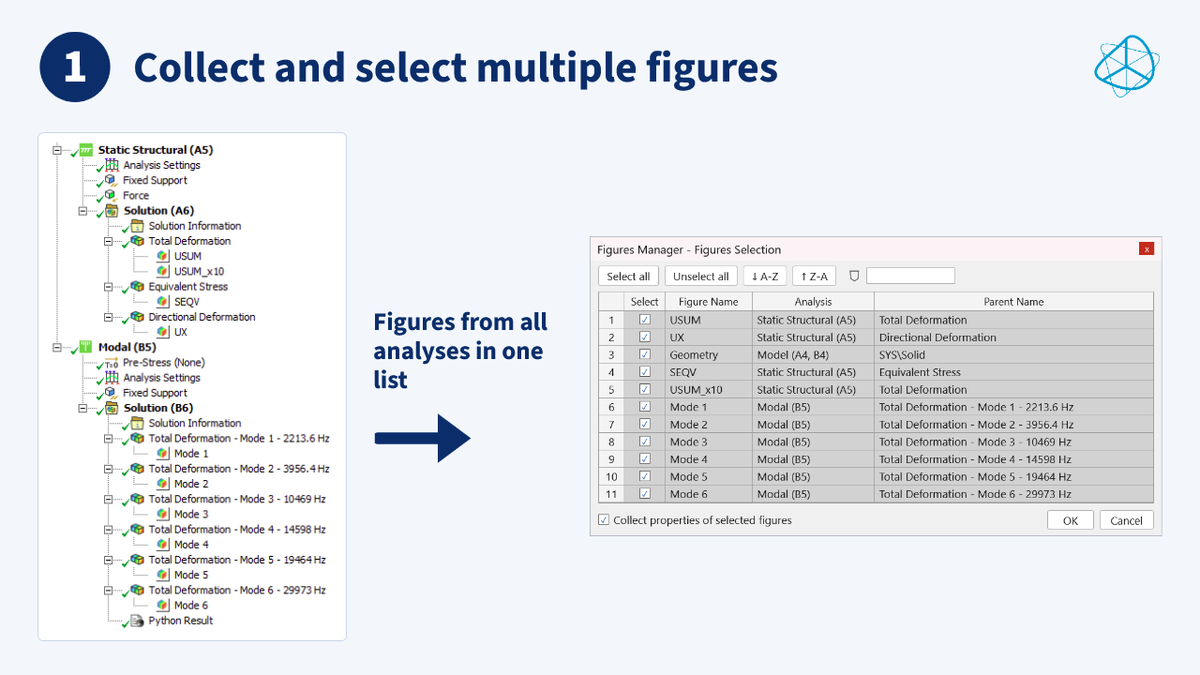
- Collect figures from the project tree
- Change their settings in one table
- Export all selected figures in one go
Create figures without leaving the table
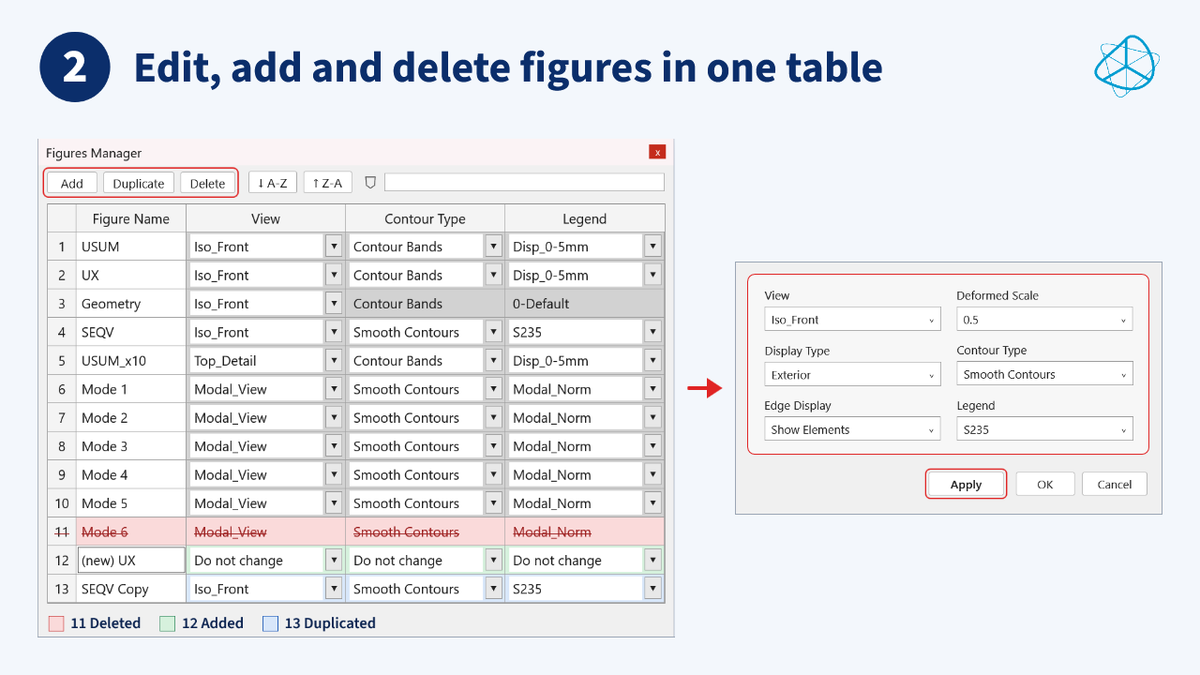
Before version 3.6, you could only edit existing figures. If you needed a new figure, you had to switch back to Mechanical, create it there and reopen Figures Manager. Now:
- Add a figure at the analysis and parent object you select
- Duplicate a figure with all its settings, for example the same result in a second view with the same legend
- Delete a figure by marking its row. It leaves the model when you commit
New and duplicated figures get unique names automatically.
Edit in several rounds
- Apply commits your changes, reloads the table and keeps the window open
- OK commits and closes the window
- Cancel discards all pending changes
Nothing reaches the model until you click Apply or OK.
Name exported files
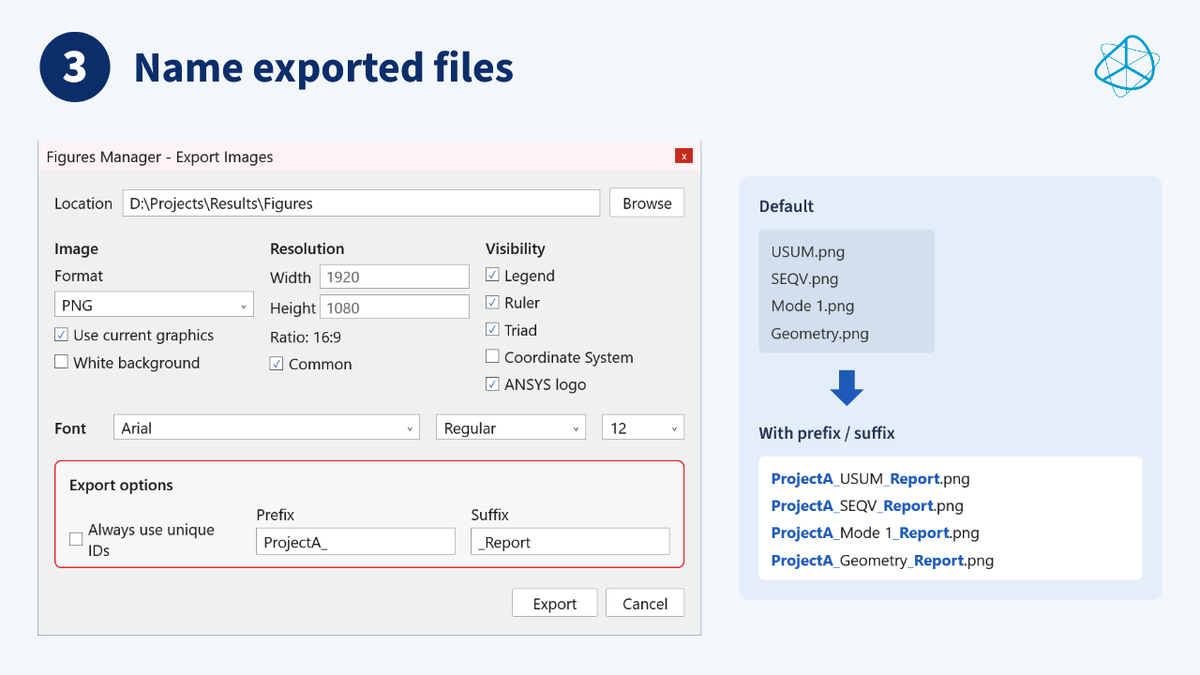
- Prefix and suffix are set once for the whole export: USUM.png becomes ProjectA_USUM_Report.png
- The object ID is optional. 3.5 added it to every file name. 3.6 adds it only when two figures share a name. If a name is still taken, a counter (1), (2) is appended
- Want the ID in every name? Tick “Always use unique IDs”
If your reports rely on IDs in file names, tick the option.
Compatible ANSYS versions
Figures Manager 3.6 works with ANSYS versions 2024 R1, 2024 R2, 2025 R1, 2025 R2 and 2026 R1.
Request the free download
Figures Manager is free. Request the free download with your company or institutional email.